
Today's menu
Finder's right-click menu, written by you.
Apple's items in Finder's context menu can't be removed — not in Settings, not with any Finder extension. Ocomenu serves its own menu in their place, so every line is up to you.
brew install --cask piro0919/tap/ocomenumacOS 14 or later, Apple silicon
On the menu
Hide the built-in items
Free- Get Info, Rename, Compress, Duplicate, Make Alias, Quick Look, Copy, Share…
- The ones no setting and no Finder extension can take away
- Items Finder would grey out for that file stay hidden, as in Finder
Arrange them your way
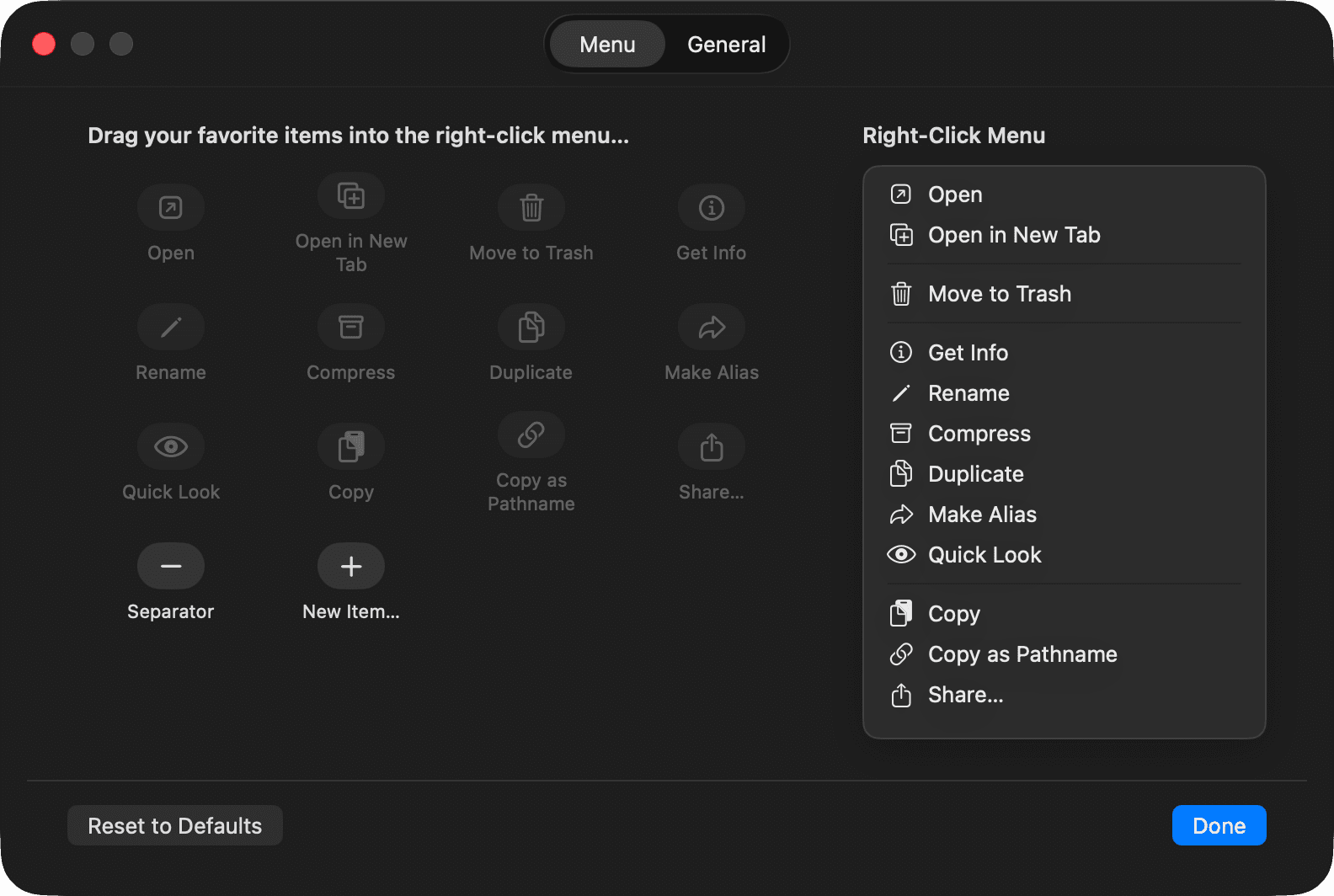
Drag- A settings window modelled on Finder's own Customize Toolbar
- Drag an item into the menu to add it, out of the menu to remove it
- Separators as many as you like
Add your own
Three kinds- Run a shell script — the selected paths arrive as "$@"
- Open with an app of your choice
- Copy or move to a folder, with " 2" added on a name clash, as Finder does
Finder's original, any time
⌘ + right-click- Hold ⌘ while right-clicking and Finder's own menu comes back for that click
- Quit Ocomenu and everything is as it was
Finder left untouched
SIP stays on- Nothing is injected into Finder and nothing about Finder is changed
- Ocomenu catches the right-click before Finder does and shows its own menu
- Choosing a built-in item presses the same command in Finder's menu bar
Before you order
- 一
Install
Download the DMG and drag Ocomenu into Applications, or use Homebrew.
- 二
Let it open
The author is not a registered Apple developer, so the first launch is blocked. Open System Settings → Privacy & Security and click Open Anyway.
- 三
Allow Accessibility
Ocomenu needs it to catch the right-click and to see what is under the pointer. Switch Ocomenu on in the list it opens.
- 四
Make it yours
Open Ocomenu again, or click its menu bar icon, to arrange the menu. Right after installing it matches Finder's, so nothing disappears until you say so.
Your own items ask for Automation access to Finder the first time they run, to learn which files are selected.
The bill
FreeOpen source under the MIT license. No account, no analytics in the app, nothing sent anywhere.